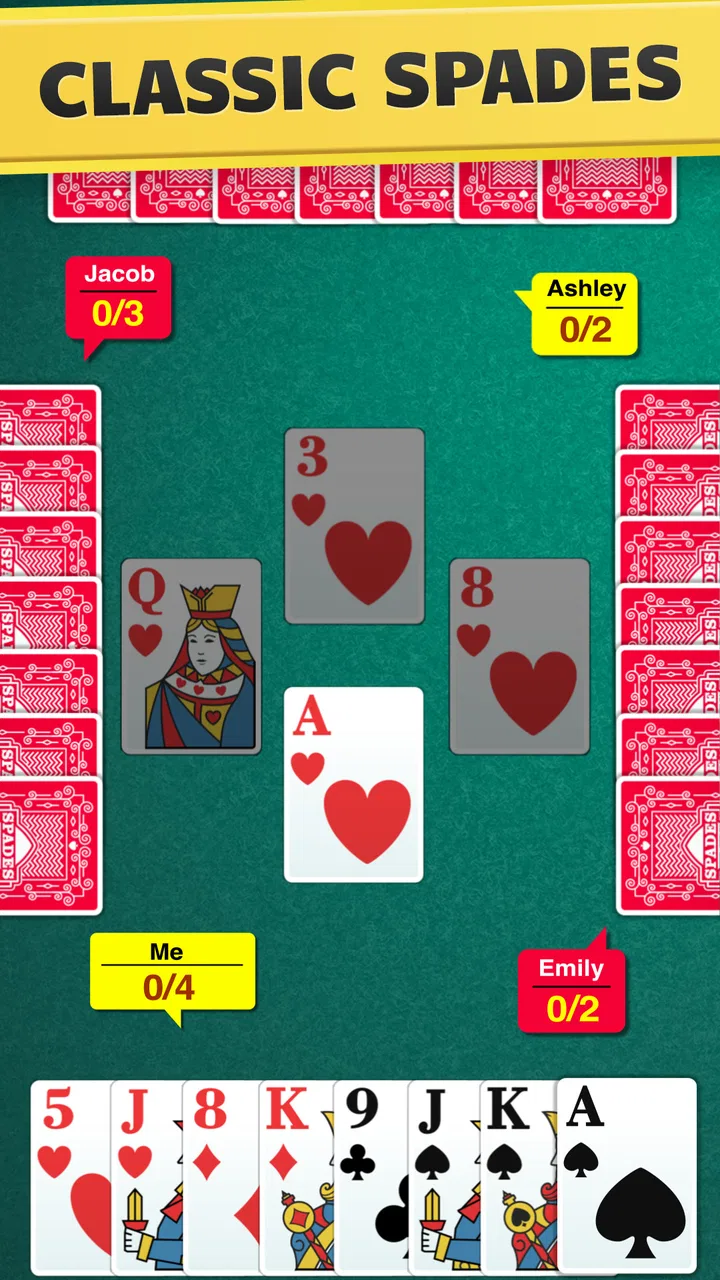
Spades - Classic Card Game
- 4.7
- Rating
- 5.00M
- Installs
- Free
- Price

 Analysis by App-foxy
I enjoy card games most when they are easy to start but still give me a reason to think before every move. Spades - Classic Card Game fits that mood well. It is a free card game from FIOGONIA LIMITED, built around the familiar Spades format and intended for both online and offline play. I found it approachable enough for a quick break, yet tactical enough that careless bidding or a poorly timed high card can change the entire hand.
That balance is the main reason I would recommend it to someone who wants a traditional card game rather than a visually overloaded mobile game. It does not ask you to learn a large collection of characters, currencies, or complicated controls before playing. You sit down, deal with the hand in front of you, and make decisions. The important question is whether that simple structure remains enjoyable after repeated sessions, especially when the app is used on different phones and in longer play periods.
How the game feels in everyday play
My first impression is that this is best treated as a focused Spades game for Android rather than an all-purpose card collection. The appeal comes from the rhythm of bidding, following suit, managing the trump suit, and judging how many tricks your side can realistically take. That makes it a good companion for a commute, a quiet evening, or a short pause when I want something interactive without committing to a large game.
You May Also Like

 Blood Strike: 2.5 Anniversary
Blood Strike’s Loadouts Turn Every Drop Into a Tactical Gamble
A close look at Blood Strike’s custom loadouts: how fast access to signature weapons reshapes its battle royale rhythm, rewards preparation, and narrows the gap between fights.

 Pandora - Music & Podcasts
Pandora’s Music Is Easy to Start, but Harder to Recover
Pandora’s strength is its low-effort path from a seed to a station. Its weak spot is how much confidence it asks you to place in connection, setup, and quiet recovery.

 8 Ball Pool
 Is Built on Rivalries, Rematches, and Routine
A close look at the rivalries, rematches, shared routines, and unanswered safety questions that turn a quick pool match into a persistent mobile community.

 Samsung Music
’s Quiet Strength Is Playing What You Already Own
Its reach comes less from spectacle than from dependable access to a personal library. That simplicity is both the app’s strongest retention engine and its ceiling.

 AccuWeather: Weather Radar
AccuWeather Review: A Quick, Clear Forecast for Everyday Decisions
For everyday plans, the best forecast is the one you can understand quickly. AccuWeather makes rain timing, radar, and local conditions easy to act on, with a few trade-offs.

 Hill Climb Racing
Why Hill Climb Racing Still Turns Crashes Into One More Run
A tiny car, a bumpy hill and one more upgrade: Hill Climb Racing keeps resurfacing because its simple chaos makes every near-miss feel personal.
More From Our News Desk



A realistic session might begin with one hand while waiting for an appointment and turn into several more because the result of each hand creates a natural reason to continue. The short decision cycles help the game feel accessible. I can play quickly when the cards are obvious, but a close hand demands more attention. That contrast is more satisfying than a game that makes every move equally slow.
The store summary presents it as playable online and offline, and that distinction matters in daily use. Offline play is especially useful when I am somewhere with unreliable connectivity or when I simply do not want a network-dependent activity. Online play, by comparison, is the better fit when I want the social pressure and unpredictability that come from facing other people. I would choose the mode based on the situation rather than assuming one is always superior.
Speed expectations and the rhythm of a hand
Spades itself has a naturally brisk structure, and the app benefits from that. A hand does not require long navigation between unrelated screens. The useful speed here is not just how quickly a screen opens; it is how little time stands between deciding to play and actually seeing the next card. For a casual player, that keeps the game from feeling like work.
I also like that the strategic pauses feel meaningful rather than forced. When I hesitate before bidding, I am considering the strength of my hand and the likely risk of taking too many or too few tricks. When I pause during play, I am deciding whether to protect a future opportunity or spend a strong card now. That makes the game feel deliberate even when the surrounding interface remains simple.
There is a trade-off for experienced Spades players. A streamlined presentation may be preferable for quick rounds, but it will not necessarily satisfy someone looking for extensive customization, tournament tools, or a deep learning system. Players who want a broad competitive platform may find a dedicated multiplayer card service more suitable. This app is stronger when the goal is to get into a recognizable game quickly.
One useful habit is to treat the first hand of a session as a calibration round. I use it to settle into the pace, notice how the app presents bids and tricks, and avoid making ambitious decisions simply because I am eager to begin. That approach is particularly helpful when switching between offline and online play, where the feel of the session can be different even though the card rules remain familiar.
What happens during heavier use
Longer sessions expose a different side of a card game. In a single hand, almost any app can seem effortless. After many rounds, the important issues become mental fatigue, repeated taps, and whether the presentation remains clear enough to prevent accidental decisions. Spades has an advantage here because its rules create variety through the cards rather than requiring constant visual effects.
For me, the best way to use it heavily is in blocks rather than one endless sitting. A few hands give me enough time to enjoy the strategy without turning every bid into an automatic choice. If I continue for too long, the risk is not that the game becomes technically demanding; it is that I start playing mechanically. A short break can improve the quality of decisions more than trying to force another round.
The game is also a reasonable choice for people who prefer low-pressure repetition. Someone learning the basics can use offline rounds to become comfortable with bidding and trick management before moving into online play. That workflow avoids the frustration of learning while another player is waiting. It also lets a new player discover whether the Spades format itself is enjoyable before spending time on competitive matches.
On the other hand, players who need constant novelty may tire of the core loop. The strength of this title is its focused card gameplay, not a promise of endless new genres or changing objectives. I would skip it if I wanted a story, action, collectible progression, or a constantly changing set of activities. A more expansive card platform would be a better match for that expectation.
Reliability, recovery, and practical use
Reliability in a card game is mostly about preserving the flow of a hand. Because the app supports offline play, it has a practical advantage in situations where a connection is not dependable. I would be more comfortable opening it on a flight, in a basement, or during travel than an app that requires a live connection for every round. Offline access also makes it useful when I want a predictable solo activity rather than a social session.
Online play naturally introduces more variables. A network-based game can feel less predictable than a local round because the experience depends on the connection and the other participants. I would therefore avoid starting an online hand when I know I may need to close the app immediately. If I am interrupted, the responsible choice is to use offline play for that moment instead of risking an unfinished online session.
That is an important recovery habit: select the mode that matches how stable my attention and connection will be. Offline play is the safer choice for interruptions, while online play is better when I can stay present. This is not a criticism of the game so much as a sensible way to use its two stated formats. It prevents a short break from becoming an inconvenient match commitment.
The app’s current version is 1.7.3, which gives users a clear version reference when checking compatibility or deciding whether their installation is current. I would still keep expectations realistic: a version number alone does not guarantee that every device will feel identical. Older hardware, background activity, and operating-system behavior can all affect how comfortable a game feels, even when the underlying card rules are simple.
Device constraints and who should install it
The listed minimum operating-system requirement is Android 7.0. That makes the game relevant to a wide range of Android devices, including phones that are not recent flagship models. A card game generally has a lighter practical workload than a modern three-dimensional title, so this is the kind of app I would consider for an older compatible phone when I want entertainment without installing something visually demanding.
Still, compatibility and comfort are not the same thing. A device that can install the game may have a smaller display, slower touch response, or limited free space. Those factors matter in a card game because a missed tap can change the hand. Before playing seriously, I would check that the cards and controls are easy to read and that the phone responds consistently to taps. If the screen is cramped, a tablet or a newer phone may provide a more comfortable experience.
Resource demands are best judged by the nature of the game rather than by assumptions about a particular device. Spades does not need the same kind of sustained visual workload as an action game, and its focused format should make it a sensible candidate for casual hardware. I would not install it expecting a benchmark for phone performance, but I would consider it a practical choice when I want a card game that should not dominate the device’s attention.
It is free to download, which lowers the barrier to testing it for a few hands. There are in-app purchases ranging from $4.99 to $49.99 per item, so I would pay attention to the purchase flow and decide in advance whether I want to spend anything. The free entry is useful for evaluating the basic experience, while the presence of optional purchases means the app is not the same as a completely purchase-free card game.
The age rating is Everyone, making it suitable for a broad audience from a content perspective. That does not mean every player will enjoy it equally. Children or beginners may appreciate the familiar rules and straightforward format, while serious Spades players may want more control over rules, opponents, or match structure than this focused app provides. The right choice depends less on age and more on the kind of card experience you want.
How it compares with familiar alternatives
Compared with playing physical Spades, the app removes the need for a deck, a table, and several people in the same room. That convenience is its clearest advantage. I can start a hand alone, practice when nobody else is available, and switch to online play when I want a more social setting. The physical alternative still wins for conversation and face-to-face atmosphere, so I would not treat the app as a replacement for game night.
Compared with broad card-game collections, this title is more focused. A collection may offer Solitaire, Hearts, FreeCell, and other formats in one installation, which is better for someone who changes games frequently. This app makes more sense when Spades is the game I actually want to play. The narrower scope keeps the decision simple, although it also means there is less reason to open it if I am not specifically in the mood for Spades.
Compared with a dedicated competitive platform, the appeal here is accessibility. A specialist service may be preferable for organized communities, extensive rankings, or a more formal competitive environment. I would choose this app for quick access, offline flexibility, and familiar play, not because it is necessarily the most comprehensive destination for expert competition.
Its reception suggests that many players find the approach successful: it holds a 4.7 average from around 50 thousand ratings, with more than 16 thousand written reviews and over 1 million installs. Those figures do not decide whether it suits me, but they do indicate that the format has attracted a substantial audience. I see that as reassurance for someone who wants a well-established option rather than an obscure experiment.
Small strategies that improve the experience
My first practical tip is to separate learning from proving yourself. Use offline hands to test conservative bidding and observe how often your side can actually deliver on its estimate. Then move online only after the basic rhythm feels natural. This reduces the temptation to copy a bold bid without understanding the risk attached to it.
Second, I would avoid treating every high card as an immediate opportunity. The value of a strong card depends on what has already been played, what suits may be exhausted, and whether taking an extra trick helps or hurts the hand. The mobile format makes it easy to tap quickly, but the best decisions often come from waiting a moment and considering the next two tricks rather than only the current one.
Third, use the game’s offline capability as a deliberate practice environment, not merely as a backup for lost connectivity. It is a good place to build a repeatable routine: inspect the hand, estimate realistic tricks, track which suits are disappearing, and review the result before starting again. That workflow gives the solo mode more value than simply filling time.
Finally, decide whether the purchase model fits your habits before getting deeply invested. Since the game is free to start but includes paid items, I would not make an impulse purchase just because I have enjoyed a winning streak. Try the core play first, understand what you are receiving, and only then decide whether spending improves the experience for you.
My performance verdict
After looking at the way the game is structured, I see it as a sensible low-demand card option for compatible Android devices. Its strongest performance quality is efficiency of attention: the game centers on the hand instead of surrounding it with unnecessary complexity. That makes it suitable for short sessions, offline use, and players who want to return to a familiar format without a long setup.
The main limitations are about scope and expectations rather than the basic concept. It will not be my first recommendation for someone seeking a large card-game library, a formal competitive ecosystem, or a completely purchase-free experience. Online sessions also require more planning than offline rounds because interruptions and connection changes are harder to control.
For everyone else, I think Spades - Classic Card Game earns its place as a straightforward way to play one of the most recognizable trick-taking card games. FIOGONIA LIMITED has kept the central appeal easy to reach: choose a mode, read the hand, make the bid, and live with the result. I would install it if I wanted quick solo practice and the option of online play, especially on a compatible older Android phone. My final recommendation is positive, with one condition: choose it for focused Spades sessions, not for features it was never designed to provide.
FAQs for Spades - Classic Card Game
01What is Spades - Classic Card Game and how do you play it?
Spades - Classic Card Game is a trick-taking card game played in partnerships. The objective is to accurately bid the number of tricks your team will win. Each player receives 13 cards, and the spade suit is always trump. Players must follow the suit led if possible. The team that reaches the set points first wins.
02Can I play Spades - Classic Card Game offline?
Yes, Spades - Classic Card Game offers both online and offline modes. You can enjoy playing against AI opponents without an internet connection, making it a great option for those who want to practice or play on the go without using data.
03Are there different difficulty levels in Spades - Classic Card Game?
Yes, the game offers multiple difficulty levels to cater to players of all skill levels. Beginners can start with easier AI opponents, while experienced players can challenge themselves with more advanced settings, ensuring that everyone can enjoy the game at their own pace.
04Is Spades - Classic Card Game free to play and are there in-app purchases?
Spades - Classic Card Game is free to download and play. However, it may offer in-app purchases for premium features such as removing ads, unlocking custom themes, or buying extra game modes. These purchases are optional and not required to enjoy the core gameplay.
05Can I customize the look and feel of the game?
Yes, Spades - Classic Card Game usually allows customization options. Players can often choose from different card designs, backgrounds, and table themes to personalize the gaming experience. This feature enhances the visual appeal and lets players tailor the game to their preferences.
Pros
- Smooth and intuitive user interface.
- Low data consumption for online play.
- Customizable game rules and settings.
- Frequent updates with new features.
- Strong AI for challenging gameplay.
Cons
- Contains ads that can be intrusive.
- Limited multiplayer chat features.
- Occasional connectivity issues.
- In-app purchases can be pricey.
- Requires internet for some features.

Spades - Classic Card Game
Gallery